
Orders & product models
An order becomes schedulable work on its own
A product model brings together operations, materials, tools and dependencies. When an order line is created from a product model, the structure is copied into production with process times calculated from the ordered quantity – without re-entering anything.

How it works
Product model → Order → Follow-up
Product model
Define the product structure: operations, their order and dependencies, material and tool requirements, and process times as fixed, per unit or per batch.
Order
Create an order for a customer and add lines and quantities. Each line gets its own work structure from the product model and a time estimate based on the ordered quantity.
Follow-up
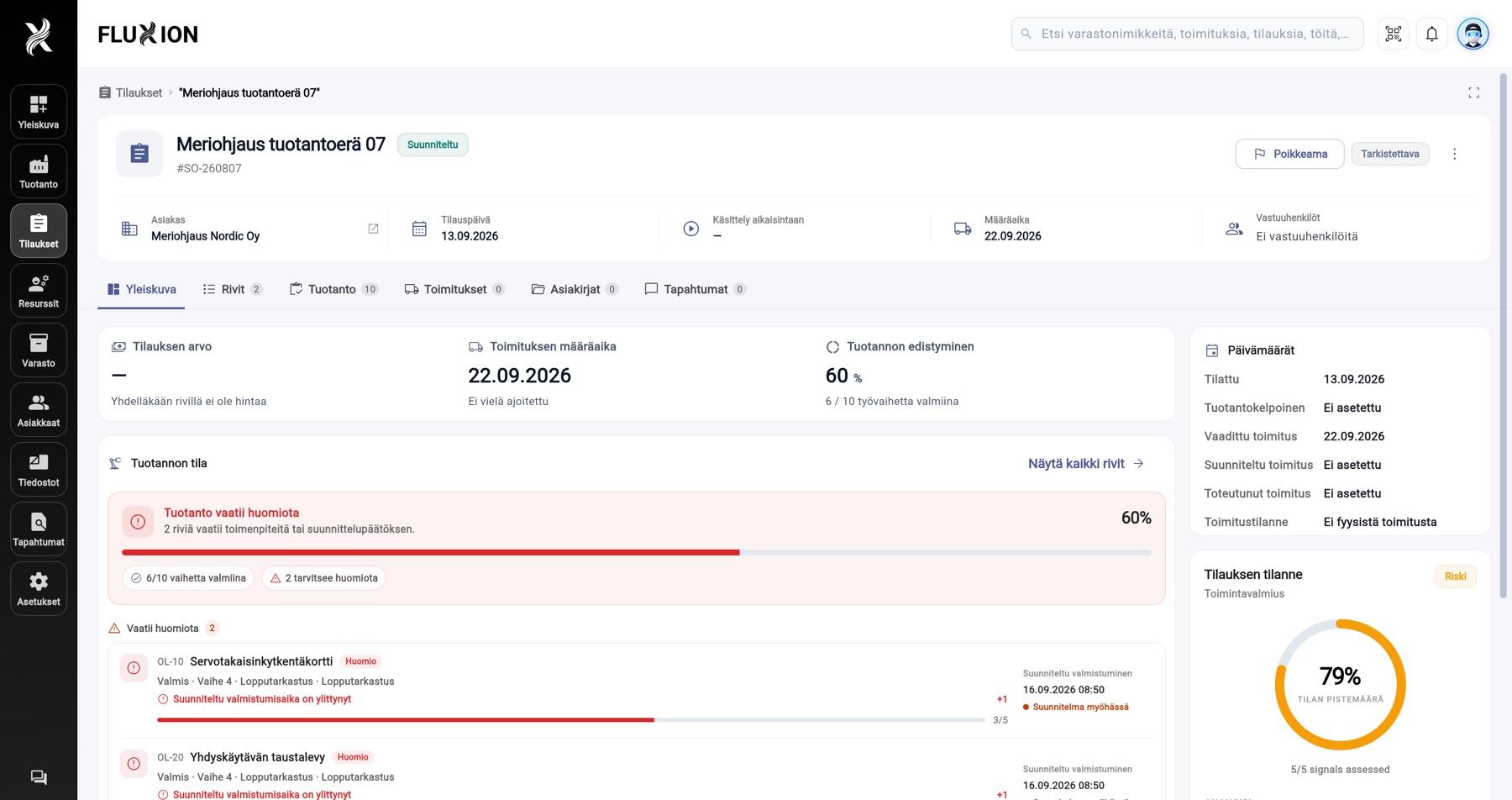
The order overview shows lines, production progress, material status, shipments and activity in one place – and highlights what needs attention.
Capabilities
Orders & product models
Related
Every FluXion module shares the same data. These are the closest connections.
Frequently asked questions

Can a product model be changed after orders have been created?
Can orders be imported from other systems?
Next step
See and experience FluXion
Book a 30-minute demo where we walk through the stages of your production – not a generic tour.